Using Proxies
A Proxy
lets one account (the delegate) perform a limited set of actions on behalf of another account (the owner) without ever holding the owner's keys. The owner stays in full control: it decides which delegate to authorize, and a proxy type limits exactly which calls that delegate may make.Dispatching a transaction through a proxy takes a single optional argument: add proxyAddress to any CreateTransaction (or CreateBatchTransaction) and the platform runs that action on behalf of the given account. The signing account — your Wallet Daemon
This is different from a managed wallet, where you hold the keys outright. With a proxy, the owner keeps its own keys and delegates only the powers you need.
- An Enjin Platform Account.
- Two accounts: an owner account (the one whose actions you want to perform) and a delegate account that acts on its behalf (your Wallet Daemon).
- Some ENJ on the owner account to cover the proxy deposit. You can get cENJ (Canary ENJ) for testing from the built-in Canary faucet in the Platform UI.
- A way to submit Extrinsics on Enjin Matrixchain — the Enjin Blockchain Console is used below — to register the proxy.
A proxy is registered on-chain; creating one isn't part of the Enjin Platform yet, so this page uses the Enjin Blockchain Console. Dispatching through a proxy already works from the Platform API today (see Dispatching through a proxy). Platform support for managing proxies may be added later.
Keep your owner account cold, operate with a hot wallet
The most common use of a proxy is operational security for your own project: keep the high-value account that owns your Collection
s offline, and let a separate hot wallet handle day-to-day work on its behalf.Because you're delegating from one of your own accounts to another, there's no third party to trust — you're effectively giving yourself a safer way to operate. If the hot wallet is ever compromised, you remove its proxy and your owner account and its assets are untouched.
The setup is two steps: register your Wallet Daemon as a Tokens proxy of your owner account, then dispatch actions through it.
1. Register the proxy
From the owner account, authorize your Wallet Daemon to act on its behalf.
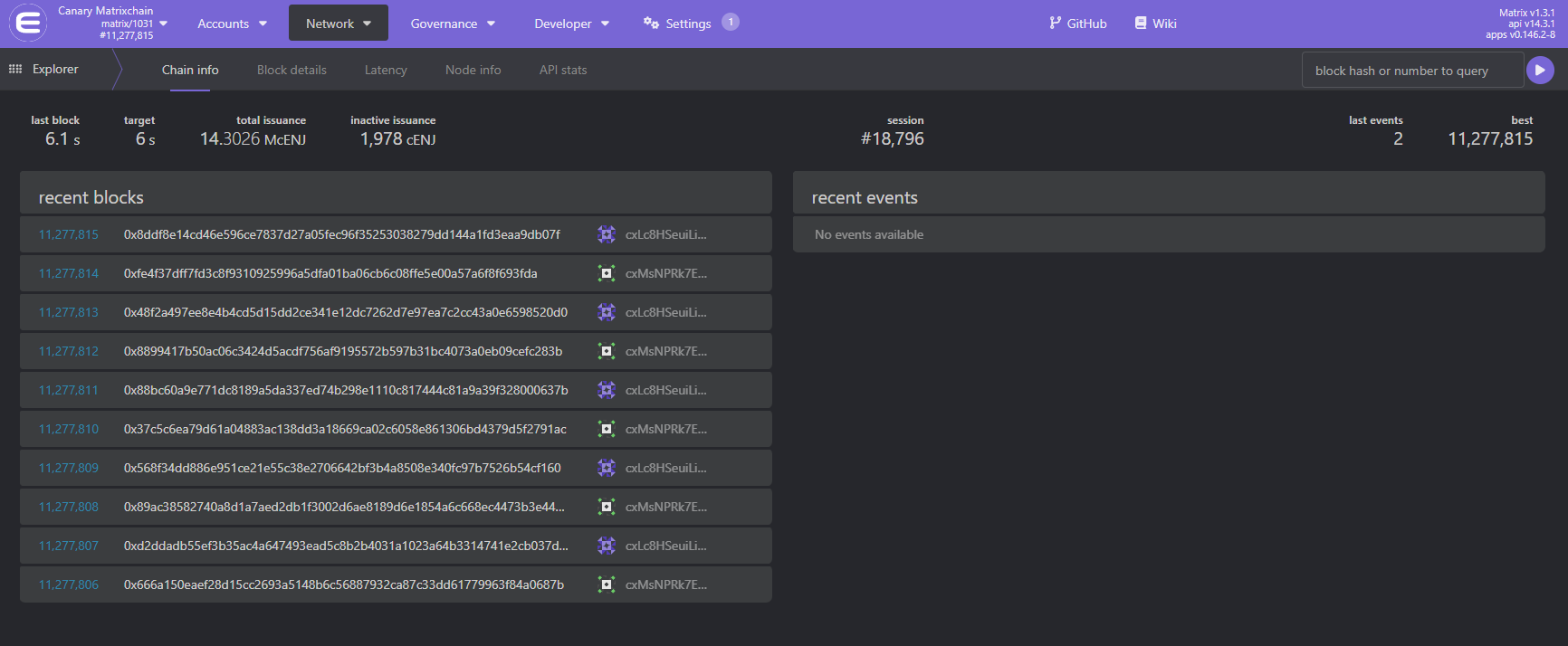
Open the Enjin Blockchain Console and make sure the network/chain selector in the top-left corner is set to the chain you want (for testing, use Canary Matrixchain).
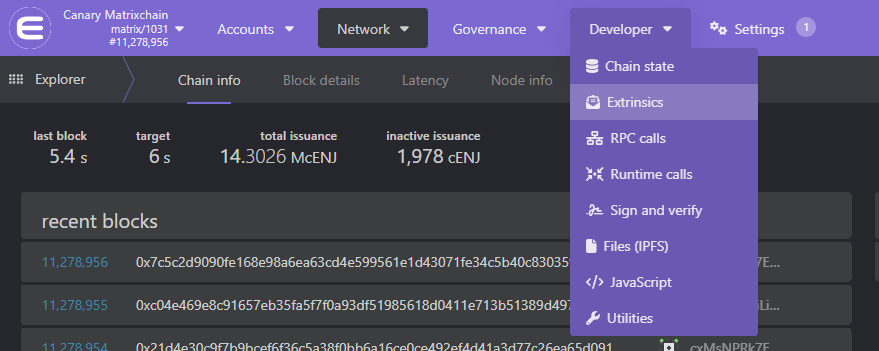
In the top navbar, open Developer → Extrinsics.
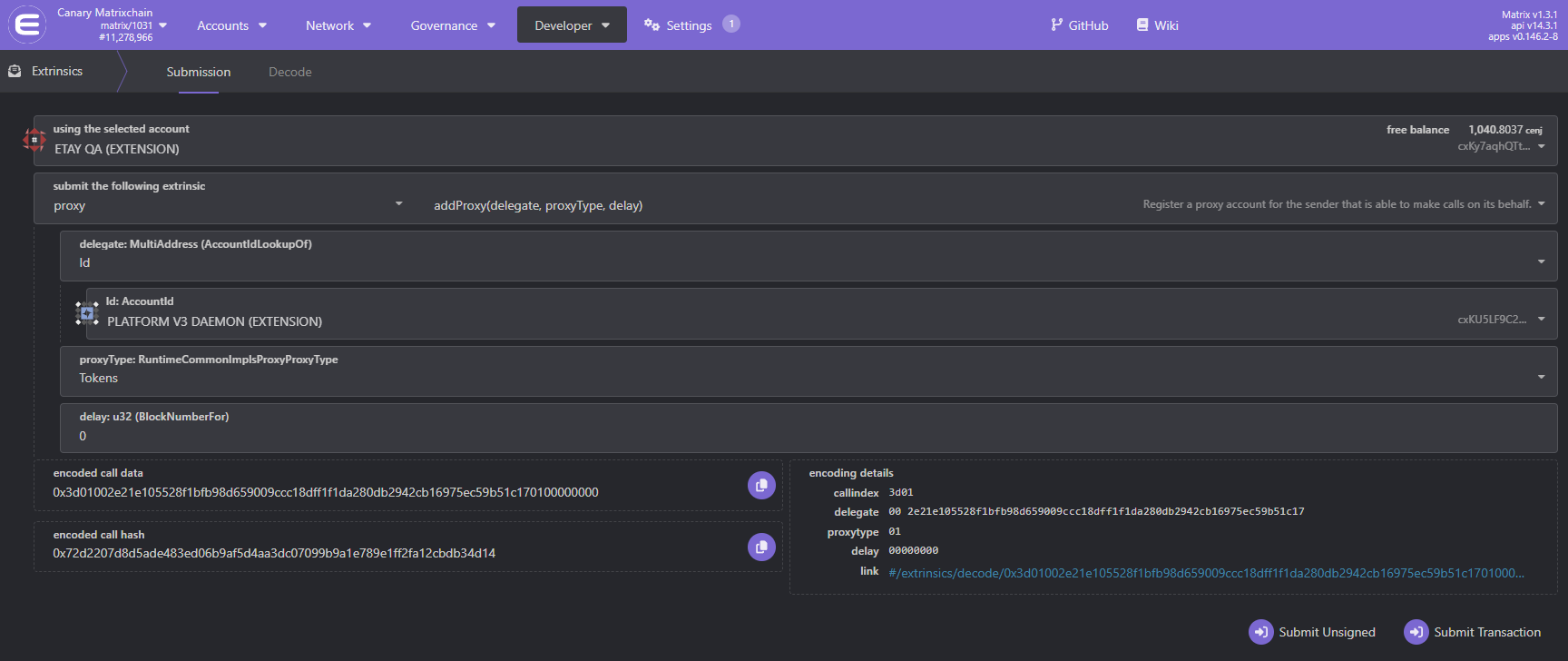
Fill out the form:
- using the selected account — choose your owner account (the account that owns, or will own, your assets and is granting the proxy).
- submit the following extrinsic — select proxy →
addProxy(delegate, proxyType, delay). - delegate — your Wallet Daemon address.
- proxyType —
Tokens, which lets the daemon perform any token operation (create, mint, transfer, burn, attributes, groups) on the owner's behalf. - delay —
0.
Click Submit Transaction and sign with the owner account. This reserves a refundable Storage Deposit
of about 0.5 ENJ. Once it's on-chain, your daemon can act for the owner account.The delegate must be the address your Platform Wallet Daemon signs with. The quickest way to find it is the Daemon address field on your Platform settings page, where you can copy it directly.
2. Dispatch actions through the proxy
Now any action you perform with proxyAddress set to the owner's address runs as that owner, signed by your daemon. For example, create a collection that belongs to your cold owner account:
mutation DispatchAsOwner {
  CreateTransaction(
    network: CANARY
    chain: MATRIX
    proxyAddress: "INSERT_OWNER_ADDRESS" #The account you keep cold and act on behalf of
    transaction: {
      createCollection: { forceCollapsingSupply: false }
    }
  ) {
    uuid
    action
    state
  }
}
Your daemon signs and submits the call as a proxy of the owner, so the new collection is owned by the owner account — not the daemon. The same pattern covers any action a Tokens proxy permits: swap createCollection for mintToken, transferToken, batchSetTokenAttribute, and so on.
The daemon pays the Transaction Fees
for the call, while any Storage Deposit the action reserves (for example, the 6.25 ENJ collection deposit) comes from the owner account, since the action runs as the owner.Once the transaction reaches FINALIZED, the chain emits the usual events for the action (here, the new collection_id). See Working with Events.
Let players delegate to your app
A proxy can also point the other way: a player who keeps their own self-custody wallet can grant your application a proxy, so you can manage their in-game items without holding their keys or prompting them to sign every action. The player registers your daemon as their delegate, exactly as in step 1 but signed from their own wallet, and you dispatch with proxyAddress set to the player's address.
Players are right to be cautious about authorizing anyone to move assets out of their wallet, so grant only what you need:
MultiTokensTransfer— the delegate can only transfer the player's tokens. Best for moving items (settling trades, distributing rewards).Tokens— also lets the delegate burn the player's tokens, which you need for crafting, consuming, or upgrade-by-burn mechanics.
Avoid Any, which would also let the delegate move the player's ENJ.
mutation MovePlayerItem {
  CreateTransaction(
    network: CANARY
    chain: MATRIX
    proxyAddress: "INSERT_PLAYER_ADDRESS" #The player who delegated a proxy to your daemon
    transaction: {
      transferToken: {
        recipient: "INSERT_RECIPIENT_ADDRESS"
        collectionId: 36105
        tokenId: 1
        amount: 1
      }
    }
  ) {
    uuid
    action
    state
  }
}
Dispatching through a proxy
proxyAddress is available on both CreateTransaction and CreateBatchTransaction. Set it to an account's address and the platform runs your action on behalf of that account. The action executes exactly as if the owner had signed it directly — the only difference is who actually signs.
A dispatch succeeds only if the signing account (your Wallet Daemon by default, or a managed wallet selected with signerExternalId) is a registered proxy of the proxyAddress account, with a proxy type that permits the action. Otherwise the transaction fails.
How proxies work
A proxy relationship has three parts: the owner (who grants it), the delegate (who acts), and a proxy type that limits which calls the delegate may make.
Proxy types
The proxy type is the security boundary — always pick the narrowest one that covers the actions you dispatch.
| Proxy type | What the delegate can do |
|---|---|
Any | Every call, including moving the owner's ENJ. Most powerful and least safe — avoid unless you truly need it. |
Tokens | All MultiToken operations: create, mint, transfer, burn, attributes, and token groups. |
MultiTokensTransfer | Only token transfers. The least-privilege option for delegates that just need to move tokens. |
Governance | Governance calls only. |
Staking | Staking calls only (for example, bonding into nomination pools on the Relaychain). |
Deposits
Registering a proxy reserves a refundable Storage Deposit
on the owner account — about 0.5 ENJ for the first proxy, plus a small amount per additional proxy. The deposit is returned when the proxy is removed. An account can hold up to 32 proxies.Who pays
The delegate (the account that signs — your Wallet Daemon, by default) pays the transaction fee for a proxied call, so it needs a little ENJ for fees. The owner pays nothing for the call itself, but still provides any storage deposit the action reserves, because the action runs as the owner.
Time-delayed proxies
You can register a proxy with a delay (a number of blocks). The delegate must first announce a call with proxy.announce, and the owner has a window to cancel it with proxy.rejectAnnouncement before it can be executed. This adds a time-lock to high-value delegated actions. Most integrations use delay: 0 (no delay).
Removing a proxy
Remove a single proxy with proxy.removeProxy(delegate, proxyType, delay) — using the same arguments you registered it with — or clear them all with proxy.removeProxies. Removing a proxy returns its reserved deposit.
Other configurations
- Pure proxies.
proxy.createPurecreates a brand-new keyless account that can only be controlled through its proxies — useful for team- or organization-owned collections where no single person should hold the key. This is advanced; only set it up if you understand how to recover access. - Actions in other pallets. Some actions live outside MultiTokens — for example, marketplace listings are part of the Marketplace Pallet. A
TokensorMultiTokensTransferproxy won't cover those, so dispatch them from an account that owns them directly, or use a broader proxy type.